

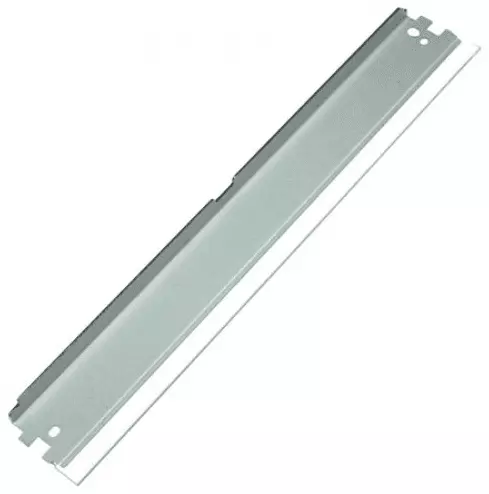
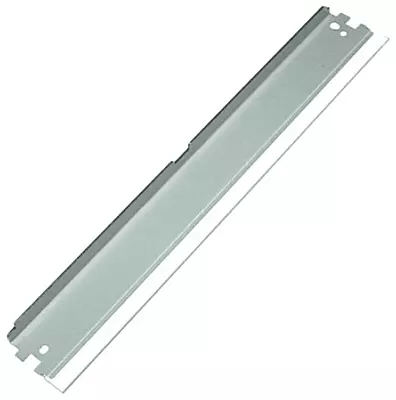
05A 80A Wiper Blade For HP Laserjet P2035 P2055D 3035 Canon 5840 6300 6650 Printer
- Buy from 1 to 4 products @ ₹47.00 per item
- Buy from 5 to 9 products @ ₹40.00 per item
- Buy above 10 @ ₹33.00 per item
Product Details
Clean Drum Surface with a High-Quality Wiper Blade
Streaks and ghosting images often appear when the drum is not cleaned properly after each rotation. This Wiper Blade fixes that problem because it removes excess toner from the drum surface. You can enjoy clean, smudge-free prints while protecting your expensive internal hardware. Since cleanliness is vital for laser printing, this part is essential for every maintenance kit.
Why Your Wiper Blade for HP Canon Printer Matters
It ensures that no residual powder interferes with the next image. This component features a flexible rubber edge that glides smoothly over the drum. While other blades might scratch the surface, this is designed for gentle yet effective cleaning. It also reduces the buildup of waste toner inside the cartridge.
Durable Construction for Daily Printing
The Wiper Blade is built with a sturdy metal frame to ensure it stays in the correct position. This stability is important because any misalignment can cause permanent damage to the drum. Also, the high-quality polyurethane edge resists hardening over time. Using a fresh Blade ensures your printer operates quietly and efficiently.
Features and Benefits
Flexible Polyurethane Edge – Cleans the drum surface without causing scratches or wear.
Rigid Metal Support – Keeps perfectly aligned for consistent results.
Waste Reduction – Efficiently directs excess toner into the waste hopper.
High Temperature Resistance – Maintains its shape even during intensive printing sessions.
Easy Installation – Designed for a quick and hassle-free replacement process.
Technical Specifications
| Specification | Details |
| MPN | WB-HP-05A |
| Product Type | Wiper Blade |
| Category | Printer Parts |
Compatibility Table
| Brand | Supported Models |
| HP LaserJet | P2035, P2055, P2055D, 3035 |
| Canon | LBP6300, LBP6650, LBP6670, MF5840 |
| Cartridge Types | 05A, 80A, CRG-719 |
Maintain Your Wiper Blade for HP Canon Printer
Always check for nicks or tears if you see recurring lines on your paper. Specifically, a damaged blade can ruin a brand-new drum. Replacing yourWiper Blade regularly is a cost-effective way to maintain high print quality. Trust this Wiper Blade to keep your documents looking professional every day.