

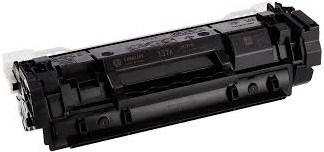
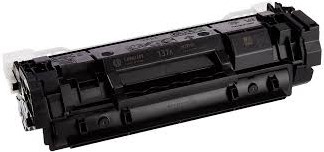
W1370A Black Toner Cartridge Compatible with HP LaserJet Pro MFP M140, MFP M142
Product Details
Compatible With:- HP LaserJet M209dwe Printer, HP LaserJet M209dw Printer, HP LaserJet M211d Printer, HP LaserJet M211dw Printer, HP LaserJet MFP M233dw Printer, HP LaserJet MFP M233sdn Printer, HP LaserJet MFP M233sdw Printer, HP LaserJet MFP M234dwe Printer, HP LaserJet MFP M234dw Printer, HP LaserJet MFP M234dwe Printer, HP LaserJet MFP M234sdne Printer, HP LaserJet MFP M234sdn Printer, HP LaserJet MFP M234sdwe Printer, HP LaserJet MFP M234sdw Printer, HP LaserJet MFP M236d Printer, HP LaserJet MFP M236dw Printer, HP LaserJet MFP M236sdn Printer, HP LaserJet MFP M236sdw Printer
The Black Toner Cartridge Compatible with HP W1370A offers a reliable, cost-effective printing solution without compromising on quality. With a page yield of up to 1,600 pages at 5% coverage, this toner cartridge is ideal for both home offices and small businesses that need consistent and professional-quality black text prints. It is fully compatible with HP LaserJet Pro MFP M139fw, M139n, and M139a printers, ensuring easy installation and seamless performance. Whether you're printing important documents, reports, or everyday text-based tasks, this compatible black toner ensures sharp, crisp text and high-quality results every time. Manufactured to meet or exceed OEM standards, the W1370A compatible toner cartridge provides the same reliability and performance as the original HP cartridge, while offering significant savings, making it the perfect choice for users looking to reduce printing costs.
| Attribute | Details |
|---|---|
| Product Name | Black Toner Cartridge Compatible with HP W1370A |
| Compatible Model Nos. | HP LaserJet Pro MFP M140a, MFP M140nw, MFP M142a, MFP M142fw |
| Color | Black |
| Page Yield | Up to 1,500 pages (based on 5% coverage on A4 paper) |
| Model No. | W1370A |
| Ideal For | Small offices and home offices needing cost-effective, high-quality monochrome prints with reliable performance |
| Installation | Unpack → Shake gently → Insert into toner slot → Close cover |