



Generic
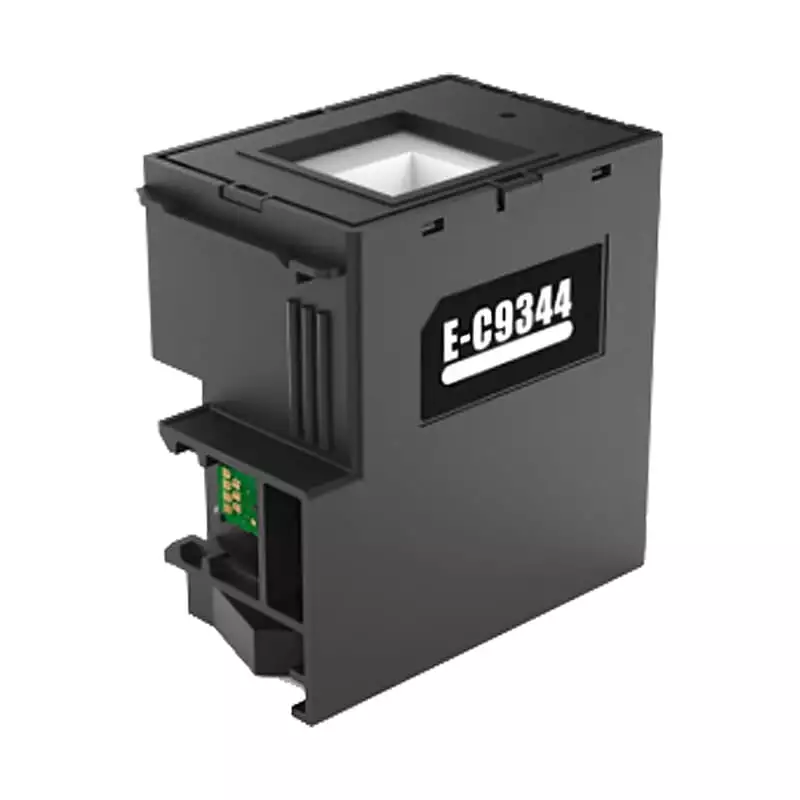
E-C9344 Ink Maintenance Box For EPSON L3550 L3560 L5590XP-3100 XP-4100 XP-4105 WF-2830 WF-2850 WF-2851 Printer
SKU - PBMB0011
₹118.48
₹499.00
- Buy from 1 to 9 products @ ₹118.48 per item
- Buy from 10 to 24 products @ ₹114.41 per item
- Buy from 25 to 49 products @ ₹110.34 per item
- Buy above 50 @ ₹99.00 per item
In stock:
440
Product Details
Product Overview
The C9344 / T212 Maintenance Box is a critical safety component designed to collect excess ink flushed during automatic printhead cleaning cycles, nozzle clearing, and initial setup. Equipped with an integrated smart chip, it communicates directly with your printer to monitor waste ink capacity and prevent internal liquid damage or overflowing.
Key Features & Highlights
- High-Absorbency Pads: Multi-layer internal sponges safely store liquid waste ink.
- Smart Chip Integration: Accurately tracks ink levels to safeguard internal printer components.
- High-Quality Compatible Import: Built to high standards for smooth recognition and reliable performance.
- Instant Reset: Plug-and-play design that resets the printer's maintenance counter to 0% upon installation.
Specifications & Compatibility
| Specification | Details |
|---|---|
| Part Model | C9344 / C 9344 / T212 |
| Condition | New Compatible (High-Quality New Import) |
| Compatible Epson Expression Series | XP-2150, XP-2155, XP-3100, XP-3105, XP-3150, XP-3155, XP-3200, XP-3205, XP-3250, XP-3255, XP-4100, XP-4105, XP-4150, XP-4155, XP-4200, XP-4205, XP-4250, XP-4255 |
| Compatible Epson WorkForce Series | WF-2810DWF, WF-2820DWF, WF-2830, WF-2830DWF, WF-2835DWF, WF-2840DWF, WF-2845DWF, WF-2850, WF-2850DWF, WF-2870DW |
Common Printer Errors & Solutions
| Error Displayed | Cause | Recommended Action |
|---|---|---|
| "Service Required" | Waste ink pad has reached the end of its service life. | Replace the maintenance box or chip to reset counter to 0%. |
| Flashing Red Light | Safety lock triggered due to a full waste ink tank. | Install a new maintenance box unit. |
| "Incompatible Cartridge" | Waste pads were cleaned, but the tracking chip was not reset/replaced. | Attach a new chip to clear the error code. |
| Bottom Ink Leakage | Physical waste pads are completely saturated. | Replace the entire maintenance unit immediately. |
Important Note: Simply washing the old waste sponges with water will NOT resolve the printer error. The printer relies entirely on the digital counter inside the smart chip. A new maintenance box or replacement chip is required to unlock your machine.