

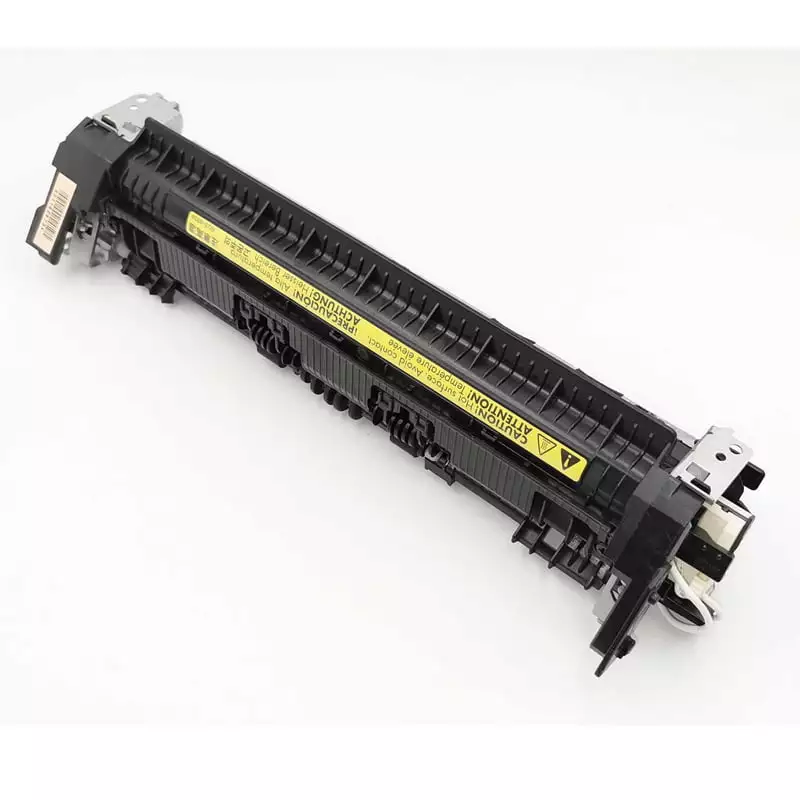
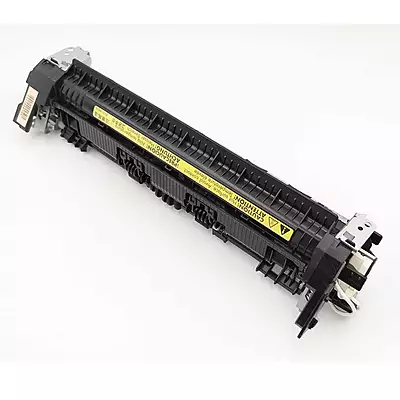
Fuser Assembly For HP Laserjet Pro M126 M127 M128 M127fn M127fw M128fn M128fp M128fw Printer (RM2-5134-000)
Customize
Product Details
HP LaserJet Fuser Assembly – Premium Replacement for Pro Series Printers
The HP LaserJet fuser assembly plays a vital role in producing quality prints. Moreover, this component heats toner powder and bonds it permanently to paper. Therefore, without a properly functioning fuser, your prints appear smudged or faded.
What is an HP LaserJet Fuser Assembly?
The HP LaserJet fuser assembly uses heat and pressure to fuse toner onto paper. Consequently, this process creates permanent, smudge-resistant prints that last for years. Additionally, the fuser operates at high temperatures to melt toner particles effectively.
Furthermore, your printer's fuser assembly works during every print job. However, over time, the heating element and rollers experience wear. Therefore, replacing worn components restores your printer's original print quality.
How the HP Printer Fuser Assembly Works
The HP printer fuser assembly contains two main rollers inside a heating unit. Specifically, the upper roller heats to approximately 200 degrees Celsius. Meanwhile, the lower roller applies pressure against the heated surface.
Subsequently, paper passes between these rollers after receiving toner. Then, heat melts the toner while pressure bonds it to paper fibers. Ultimately, this fusion process happens in milliseconds during normal printing operations.
Signs Your HP Printer Fuser Assembly Needs Replacement
Firstly, watch for these warning signs indicating fuser problems:
- Initially, toner smudges or rubs off printed pages easily
- Additionally, wrinkled or creased paper exits the printer
- Furthermore, unusual burning smells occur during printing
- Moreover, error messages mention fuser temperature issues
- Finally, ghosting or shadow images appear on prints
Consequently, when you notice these symptoms, consider replacing your HP printer fuser assembly promptly. Otherwise, delaying replacement may cause additional printer damage.
Benefits of Our HP LaserJet Fuser Assembly
This replacement HP LaserJet fuser assembly delivers reliable performance consistently. Moreover, each unit undergoes quality testing before shipment. Therefore, you receive a component that meets original equipment specifications.
Additionally, key advantages include:
- Firstly, restores crisp, professional print quality
- Secondly, eliminates toner adhesion problems completely
- Furthermore, reduces paper jams caused by worn rollers
- Moreover, extends overall printer lifespan significantly
- Finally, backed by replacement warranty protection
Compatible Models
| Brand | Series | Compatible Models |
|---|---|---|
| HP | LaserJet Pro M125 Series | M125, M125A, M125NW |
| HP | LaserJet Pro M126 Series | M126, M126NW |
| HP | LaserJet Pro M127 Series | M127, M127FN, M127FW |
| HP | LaserJet Pro M128 Series | M128, M128FN, M128FW |
| HP | LaserJet Pro M26 Series | M26 |
| HP | LaserJet Pro P1100 Series | P1102, P1102W, P1106, P1108 |
Product Specifications
| Specification | Details |
|---|---|
| Product Type | Fuser Assembly |
| Function | Heats toner to bond it to paper |
| Condition | Compatible / Replacement Unit |
| Application | Laser printing heat fusion |
| Key Components | Heating roller, pressure roller, thermal element |
Installation Guidelines for HP Printer Fuser Assembly
Installing your new HP printer fuser assembly requires careful handling throughout. First, always power off the printer completely before beginning. Then, allow existing components to cool for at least 30 minutes.
Next, remove the old fuser by releasing the retention clips. Afterward, slide the new assembly into position until it clicks securely. Subsequently, reconnect any cables and restore power to your printer.
Finally, run a test page after installation to verify proper operation. Initially, the printer may require several warm-up cycles.
Maintenance Tips for Longer Fuser Life
Importantly, proper care extends your fuser assembly's operational lifespan significantly. Specifically, use only recommended paper types and weights. Additionally, avoid printing on damp or wrinkled paper stock.
Furthermore, keep your printer in a clean, dust-free environment. Also, schedule regular cleaning of the paper path area. Consequently, these practices minimize wear on fuser components effectively.
Order Your Replacement Today
Therefore, restore your HP printer to peak performance with this quality fuser assembly. Moreover, each unit ships quickly and arrives ready for installation. Finally, contact our team for compatibility questions or technical support assistance.