


Generic
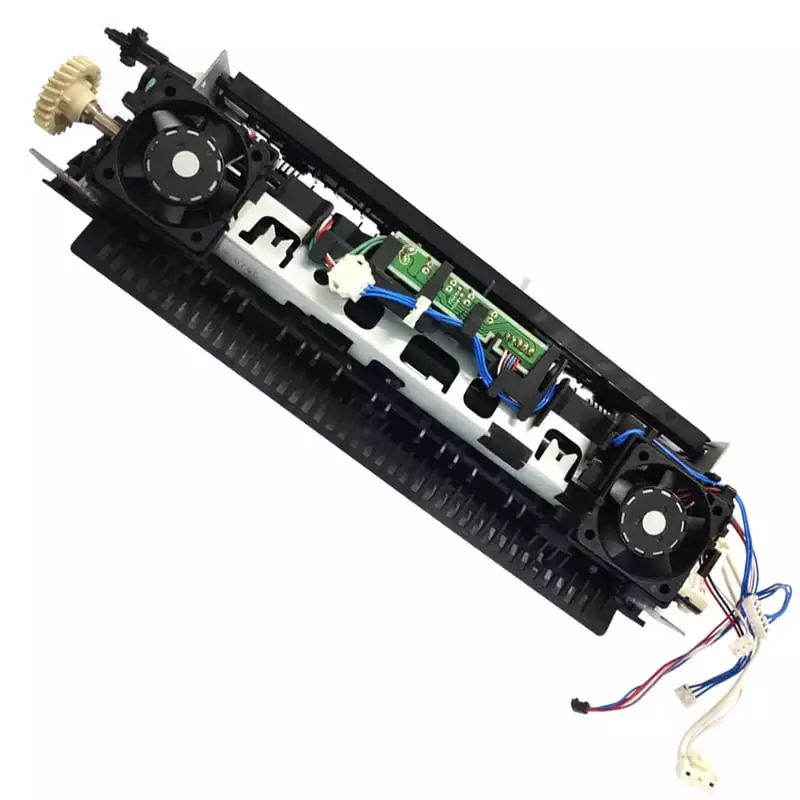
Fuser Assembly With Fan For Canon 244DW 226DW Printer (FM1-F264-000)
SKU - PBFA065
₹3,600.00
₹8,532.00
Customize
In stock:
1
Product Details
244dw Fuser assembly – Reliable Heat Transfer
The 244dw fuser assembly bonds ink to paper. Moreover, it works best for Canon 244DW and 226DW printers. Therefore, it ensures crisp, professional prints for daily use.
Fuser assembly – Key Specs
- Power Output: 20W
- Output: 240V / 1A
- Connector: USB Type-A
- Input: 100–240V AC
- Build: Metal alloy shell
- Protection: Overload, overvoltage, short-circuit
 Fuser assembly – Main Features
- Ensures crisp, professional finish, thus improving quality
- Built for high-volume use, therefore reducing downtime
- Reduces paper jams, which enhances reliability
- Metal alloy shell, so it lasts longer
- Cooling fan included, therefore improving heat dissipation
- Easy installation, so users save time
- Low energy use, which cuts costs
- Overload and overvoltage protection, thus ensuring safety
- Safe for continuous runs, therefore ideal for offices
- Compatible with Canon 244DW and 226DW, adding flexibility
Fuser assembly – Performance and Power Delivery
Stable Output for Daily and Heavy Use
The fuser assembly delivers steady heat for consistent results. As a result, it handles long print runs with minimal downtime.
 Fuser assembly – Connector Fit and Build Quality
Secure Fit with USB Type-A
The fuser assembly uses a USB Type-A connector. Consequently, it ensures a secure link during operation. In addition, the metal shell supports long-term durability.
Fuser assembly – Safety and Low-Heat Protection
Built-in Protection
- Overload prevention, therefore avoiding damage
- Overvoltage guard, which stabilizes operation
- Short-circuit shutdown, thus ensuring safety
- Thermal cutoff, therefore reducing heat risks
 Fuser assembly – Compatibility
Before purchase, match voltage and connector type. Additionally, confirm your Canon model for best results.
| Series/Category | Supported Models / Examples |
|---|---|
| Canon Laser | 244DW, 226DW |
| Other | Check manual for additional models |
244dw fuser assembly – What’s in the Box
- 1 × Fuser Assembly
- Cooling fan
- Quick-start guide
- Safety leaflet
244dw 226dw fuser assembly – Installation and Safety Tips
- First, power off the printer before installation
- Next, align the fuser carefully to avoid damage
- Then, handle with clean hands to prevent smudges
- After, check settings for correct function
- Also, store unused units in a cool, dry place
- Finally, replace only when performance drops
Summary
The 244dw fuser assembly ensures professional print quality for Canon users. Moreover, the 244dw 226dw fuser assembly offers durability, safety, and efficient heat control.