

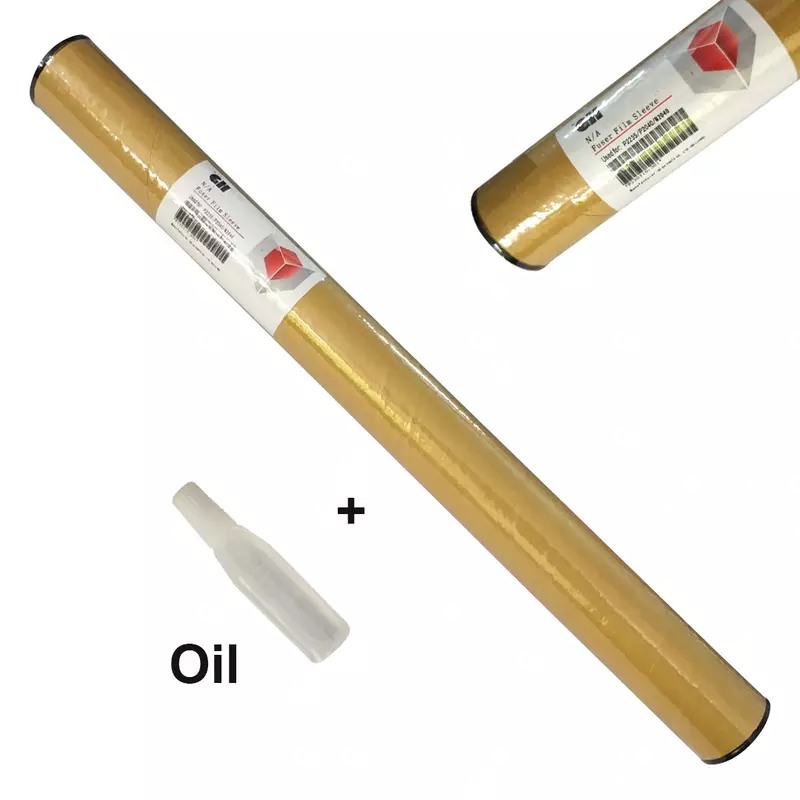


Fuser Film - GH Quality with Oil for Kyocera P2040, P2235, M2040
- Buy from 1 to 4 products @ ₹1,575.00 per item
- Buy above 5 @ ₹1,417.00 per item
Product Details
Fuser Film Sleeve Kyocera – GH Quality with Oil for ECOSYS Printers
The fuser film sleeve Kyocera delivers exceptional print quality. Moreover, this GH quality component comes pre-applied with oil. Consequently, your Kyocera printer depends on this sleeve.
What is a Fuser Film Sleeve Kyocera?
Understanding the Component
The fuser film sleeve Kyocera is heat-resistant. Specifically, this sleeve transfers heat evenly. Additionally, it bonds toner onto paper surfaces.
Oil Coating Benefits
Furthermore, pre-applied oil ensures smooth rotation. Moreover, this extends the overall lifespan significantly. Therefore, friction reduces between moving components.
Temperature Performance
Additionally, the sleeve operates at high temperatures. Furthermore, quality construction withstands thousands of cycles. Consequently, proper heat distribution creates sharp documents.
How the Fuser Film Works
Heat Transfer Process
The fuser film rotates around the heating element. Subsequently, heat passes through the sleeve instantly. Meanwhile, toner particles melt onto paper.
Friction Reduction
Additionally, the oil coating reduces friction significantly. Furthermore, paper travels between components smoothly. Consequently, this prevents wear and damage.
Temperature Consistency
Moreover, the film maintains consistent temperature distribution. Therefore, uniform heating prevents cold spots. Finally, toner fusion remains even throughout.
Signs Your Fuser Film Needs Replacement
Visual Warning Signs
Initially, watch for these wear indicators:
- Firstly, vertical lines appearing on pages
- Secondly, toner smudging on prints
- Additionally, wrinkled prints exiting the tray
Audio and Quality Indicators
Furthermore, listen for these symptoms:
- Moreover, unusual squeaking sounds during printing
- Finally, print quality degrading progressively
When to Take Action
Consequently, these symptoms indicate immediate replacement needs. Therefore, prompt action prevents further damage. Additionally, other fuser components stay protected.
Benefits of GH Quality Fuser Film Sleeve Kyocera
Premium Performance Features
This fuser film sleeve Kyocera offers premium performance. Moreover, GH quality rating ensures durability. Consequently, reliable operation continues throughout its lifespan.
Key Advantages
Additionally, key advantages include:
- Firstly, pre-applied oil for smooth rotation
- Secondly, handles high-volume printing efficiently
- Furthermore, provides consistent heat distribution
- Moreover, compatible with multiple ECOSYS series
- Finally, delivers sharp, professional output quality
Compatible Models
Single-Function P Series
| Brand | Series | Compatible Models |
|---|---|---|
| Kyocera | ECOSYS P2040 | P2040dn, P2040dw |
| Kyocera | ECOSYS P2235 | P2235dn, P2235dw |
Multifunction M Series
| Brand | Series | Compatible Models |
|---|---|---|
| Kyocera | ECOSYS M2040 | M2040dn |
| Kyocera | ECOSYS M2135 | M2135dn |
| Kyocera | ECOSYS M2540 | M2540dn, M2540dw |
| Kyocera | ECOSYS M2635 | M2635dn, M2635dw |
| Kyocera | ECOSYS M2640 | M2640idw |
| Kyocera | ECOSYS M2735 | M2735dw |
Product Specifications
| Specification | Details |
|---|---|
| Product Type | Fuser Film Sleeve |
| Quality Grade | GH Quality |
| Special Feature | Pre-Applied Oil Coating |
| Compatible Toner Families | TK-1160, TK-1178, TK-3190, TK-3180, TK-3212 |
| Application | Toner fusion and heat transfer |
| Ideal For | P2040, P2235, M2040, M2135, M2540, M2635, M2640, M2735 |
Installation Guidelines for Fuser Film
Preparation Steps
Installing the fuser film sleeve Kyocera requires care. First, power off your printer completely. Then, allow the fuser to cool.
Removal Process
Next, remove the fuser unit carefully. Afterward, disassemble the fuser housing. Subsequently, slide the worn film off gently.
Installation Process
Then, install the new sleeve properly. Moreover, ensure proper seating throughout. Additionally, check alignment before reassembly.
Testing Procedure
Finally, reassemble all components correctly. Also, test with several print pages. Furthermore, verify smooth operation without sounds.
Why Choose GH Quality Fuser Film?
Manufacturing Standards
Importantly, GH quality fuser film meets strict standards. Moreover, superior construction handles extreme temperatures. Consequently, prints maintain consistent quality always.
Oil Coating Advantages
Furthermore, pre-applied oil eliminates break-in issues. Additionally, the sleeve operates smoothly immediately. Therefore, component life extends significantly.
Order Your Replacement Today
Therefore, restore your Kyocera printer's performance now. Additionally, each unit ships ready for installation. Finally, contact our team for support assistance.