

All Prices Exclusive of Taxes, Avail GST Benefit.
PartsBaba Ventures
0
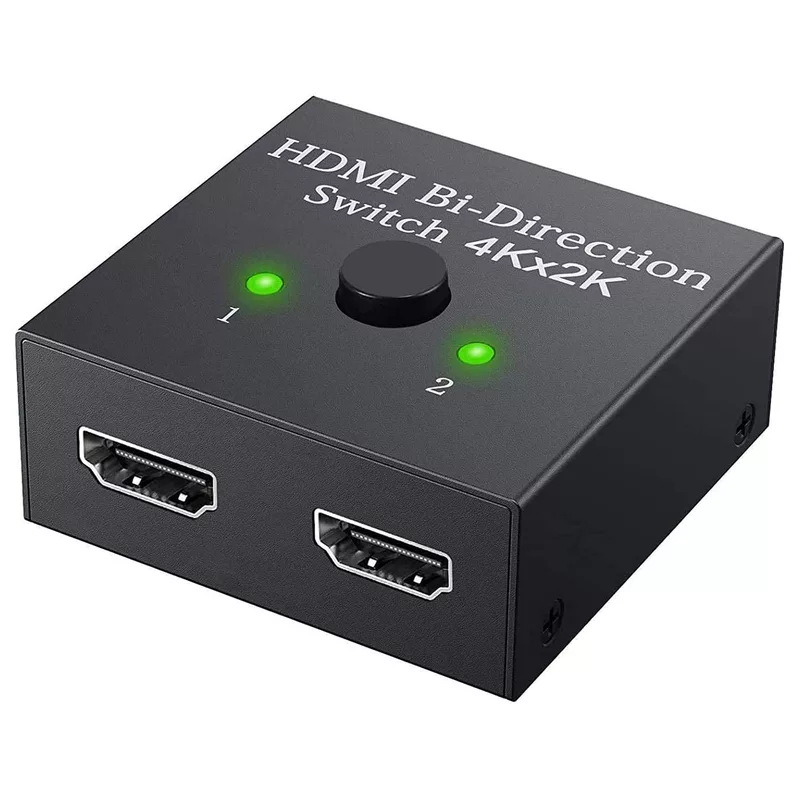
HDMI Switch 2 in 1 Out 4K 60hz HDMI Switcher 2 Port Bi-Directional Splitter

HDMI Switch 2 in 1 Out 4K 60hz HDMI Switcher 2 Port Bi-Directional Splitter

₹485.00 ₹1,430.00
Bi-Directional HDMI Switch/Splitter supports 2-In-1-Out (Switch Mode) and 1-In-2-Out (Toggle Mode) with resolution up to 4K @ 30Hz. It allows easy switching between devices or displays using a manual button, with plug-and-play functionality and no external power required.
Choose Quantity
+ Add to Cart
Product Details

Key Functionality

This device is “bi-directional,” meaning it can operate in two distinct modes:

  1. 2-In / 1-Out (Switch Mode): Connect two different HDMI sources (like a PS5 and a Roku) to one single HDMI port on your TV or monitor. You can switch back and forth between the two inputs.

  2. 1-In / 2-Out (Splitter Mode): Connect one HDMI source (like a laptop) to two separate displays. Note: This acts as a toggle, not a simultaneous splitter; it will display the image on either Monitor A or Monitor B, but not both at the same time.


Technical Specifications

  • Resolution Support: Up to 4K at 30Hz (and backwards compatible with 1080p/720p).

  • Bandwidth: Supports up to 10.2Gbps.

  • Audio Support: Compatible with DTS-HD, Dolby TrueHD, LPCM7.1, and DTS.

  • Plug and Play: Requires no external power for most devices; it draws power directly from the HDMI source cables.

  • Physical Build: Usually features a durable metal or high-grade plastic housing with a manual switch button and LED indicators to show which port is active.


Usage Scenarios

  • Gaming: Switch between a gaming console and a PC on a single monitor.

  • Home Office: Share a second monitor between a work laptop and a personal desktop.

  • Entertainment: Toggle a streaming stick between a desk monitor and a wall-mounted TV (if cables are long enough).

Items have been added to cart.
One or more items could not be added to cart due to certain restrictions.
Added to cart
- There was an error adding to cart. Please try again.
Quantity updated
- An error occurred. Please try again later.
Deleted from cart
- Can't delete this product from the cart at the moment. Please try again later.