

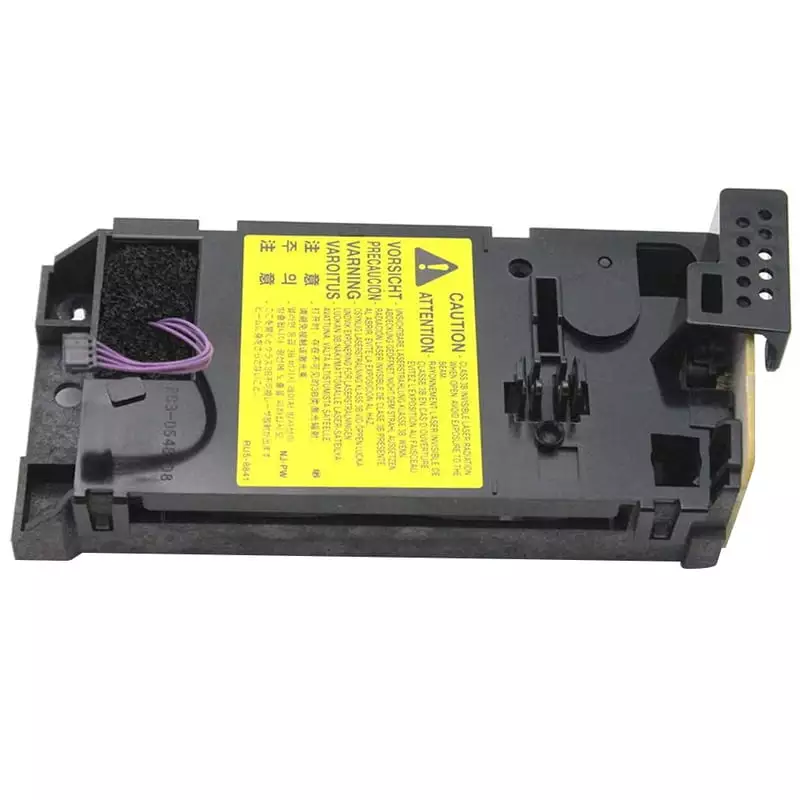
Laser Scanner HP Laserjet M201 M202 M225 M226 Printer
Customize
Product Details
Laser Scanner M201 M202 for HP LaserJet Printers
The Laser Scanner M201 M202 improves scanning precision in HP LaserJet printers. Moreover, it ensures accurate document processing and stable print output. Therefore, it supports smooth workflow in office environments.
Additionally, the Laser Scanner M201 M202 suits users who need reliable printing. It helps maintain quality across daily tasks.
Key Features of Laser Scanner M201 M202
- Enhances laser scanning accuracy
- Furthermore, reduces print errors and inconsistencies
- Additionally, supports stable document processing
- Also, built for long-lasting performance
- Finally, designed for easy replacement
The Laser Scanner HP Printer component boosts efficiency. Moreover, it helps maintain consistent output quality during high usage.
Reliable Performance with Laser Scanner HP Printer
The Laser Scanner plays a key role in print clarity. Moreover, it ensures proper laser alignment during operation. As a result, it produces sharp prints.
Additionally, each Laser Scanner HP Printer unit supports smooth data transfer. Consequently, it reduces interruptions during print jobs.
Product Specifications
| Specification | Details |
|---|---|
| Product Type | Laser Scanner Unit |
| Function | Laser Scanning and Print Processing |
| Condition | Durable Replacement Component |
| Usage | Office and Professional Printing |
Compatibility
| Compatible Models |
|---|
| HP LaserJet Pro M201 |
| HP LaserJet Pro M202 |
| HP LaserJet Pro M202D |
| HP LaserJet Pro M202DN |
| HP LaserJet Pro M202DW |
| HP LaserJet Pro M202N |
| HP LaserJet Pro M225 |
| HP LaserJet Pro M225DN |
| HP LaserJet Pro M225DW |
| HP LaserJet Pro M226 |
| HP LaserJet Pro M226DN |
| HP LaserJet Pro M226DW |
The Laser Scanner fits these models with precision. Moreover, it ensures proper function without modification. Therefore, it delivers reliable results.
Why Choose Laser Scanner M201 M202
This Laser Scanner delivers consistent performance. Moreover, it helps reduce downtime caused by scanning issues. Therefore, offices benefit from reliable operation.
Additionally, the Laser Scanner HP Printer component supports high-volume printing. Furthermore, it keeps printers running efficiently. As a result, it becomes a practical solution.
Installation and Usage
Install the Laser Scanner M201 M202 using standard steps. First, turn off the printer. Then, place the unit carefully.
Additionally, regular maintenance of the Laser Scanner HP Printer improves lifespan. Moreover, it preserves print quality over time.
Ideal Use Cases
- Offices with frequent printing tasks
- Additionally, service centers handling repairs
- Furthermore, businesses requiring consistent output
Therefore, the Laser Scanner supports these environments.