

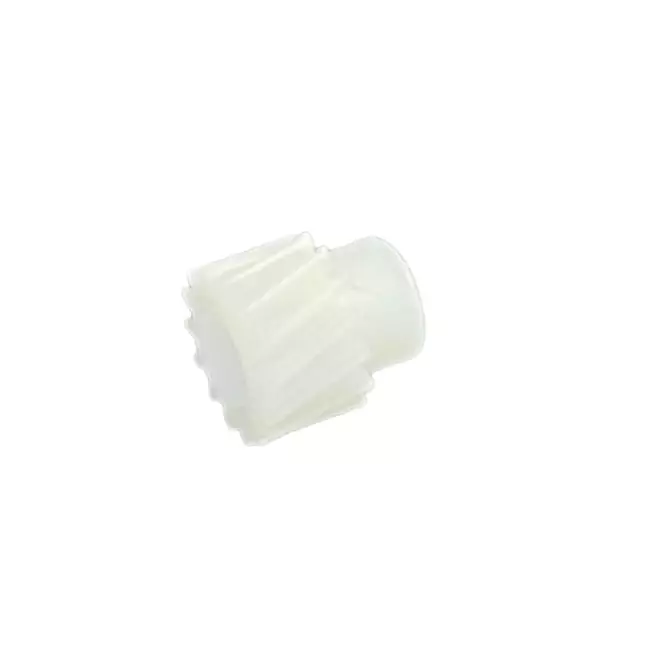
Magnet Roller Gear For HP CF218 CF217 CF230 Printer
- Buy from 1 to 4 products @ ₹14.00 per item
- Buy from 5 to 9 products @ ₹11.00 per item
- Buy above 10 @ ₹10.00 per item
Product Details
Improve Toner Distribution with a Magnet Roller Gear
Faded prints or white streaks often occur when toner does not flow correctly. This Magnet Roller Gear solves the problem by providing consistent rotation to the developer assembly. Because it maintains the correct speed, your printer can distribute toner evenly across the page. You can now avoid the frustration of light prints and keep your documents looking professional.
Benefits of the HP CF218 CF217 CF230 roller gear
TheHP CF218 CF217 CF230 roller gear is essential for maintaining high-speed printing performance. It specifically prevents the slipping that causes uneven image density. Since it is a precision-molded part, it fits perfectly into your existing cartridge housing. Using a new Magnet Roller Gear ensures your machine operates quietly while reducing mechanical wear.
Durable Material and Performance
This Magnet Roller Gear features reinforced plastic designed to handle high-torque environments. While standard gears might strip over time, this component resists friction and heat. It also provides a stable connection between the motor and the magnet roller. Consequently, your Magnet Roller Gear helps extend the overall life of your toner cartridge.
Precision Teeth – Ensures a slip-free connection for uniform toner application.
Heat Resistance – Maintains its shape even during long, high-volume print runs.
Easy Installation – Snaps into place without the need for specialized tools.
Smooth Operation – Reduces mechanical noise for a quieter office environment.
Technical Specifications
| Specification | Details |
| MPN | HP-CF-MRG |
| Product Type | Magnet Roller Gear |
| Category | Printer Spare Parts |
Compatibility Table
| Brand | Supported Models |
| HP | LaserJet Pro M104, M132 (CF218) |
| HP | LaserJet Pro M102, M130 (CF217) |
| HP | LaserJet Pro M203, M227 (CF230) |
Maintain Your HP CF218 CF217 CF230 roller gear
Replace your worn HP CF218 CF217 CF230 roller gear to restore factory-level print quality. A fresh Roller Gear prevents the "clicking" sounds associated with broken teeth. Always clean the surrounding area during installation so you remove any abrasive toner dust.